Messaging, video and scheduling for law firms
Real-time messaging, meetings created on demand, and a scheduler that has to be right in two timezones at once.
Role
Contract developer for Syncware Technologies, delivering to their client
Stack
Laravel, Pusher, Zoom API, MySQL, JavaScript
Scope
Scheduler, messenger, and Zoom integration.
The problem
Law firms were losing time to phone tag and email chains. Attorneys needed to reach clients directly, move a conversation to a call, and let clients book time without a back-and-forth about when.
Syncware was building the platform. I built the three pieces that had to work in real time.
Messaging
Real-time messaging over Pusher, so attorneys and clients exchange messages without either side refreshing.
Video
Meetings are created on demand: choose a time, confirm, and a Zoom meeting is provisioned through the API for both participants. No separate scheduling tool, no copying links between applications.
Scheduling, and the timezone problem
The scheduler lets an attorney define weekly availability and block specific dates. Clients book into open slots and get automatic confirmation.
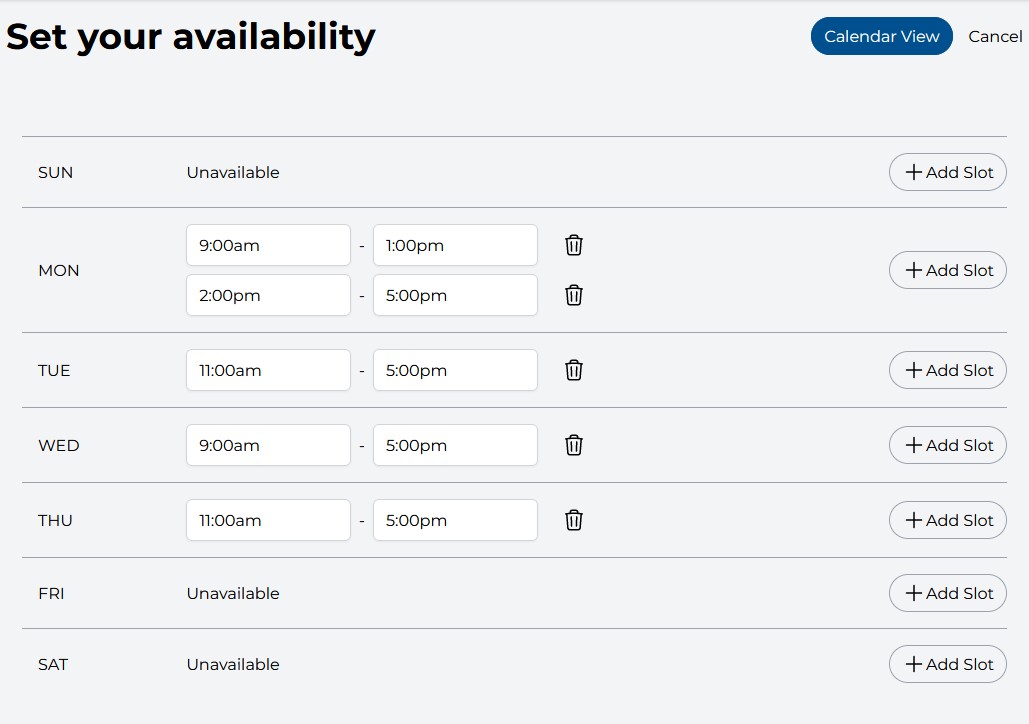
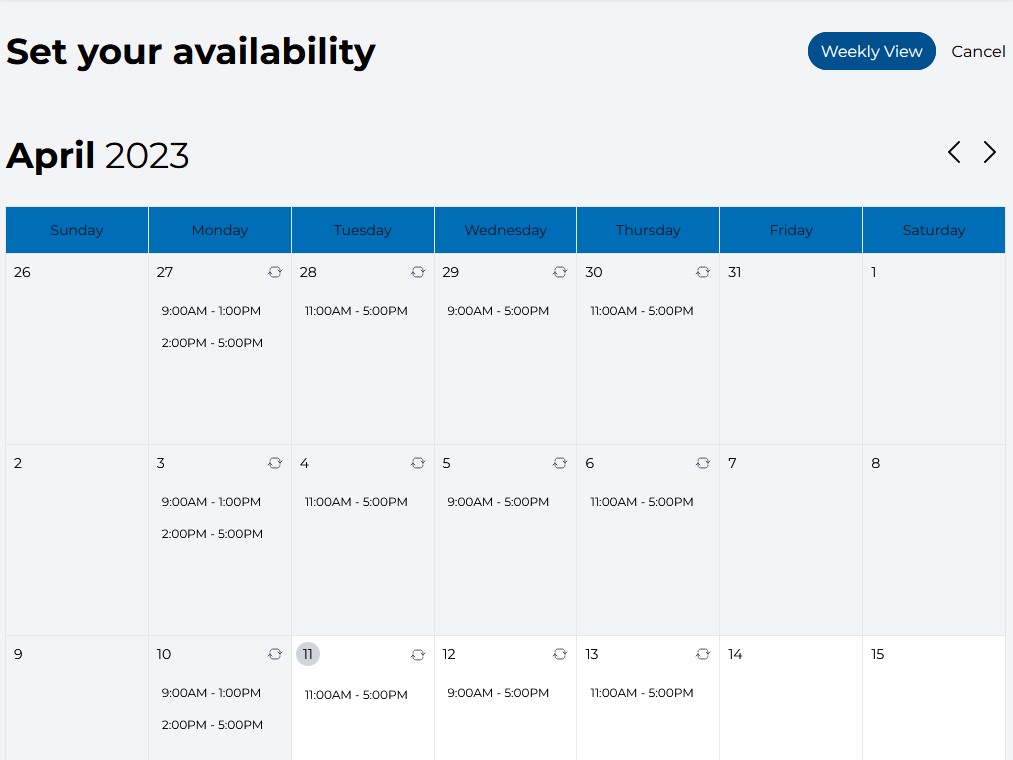
The hard part isn't the calendar. It's that an attorney in one timezone is offering slots to a client in another, and both have to see a time that means what they think it means.
Every time is stored in UTC. Nothing else goes into the database. Each user carries a timezone setting, and every displayed time is converted into it at the point of display — availability windows, open slots, confirmations. The same conversion carries through to the Zoom meeting, so the call lands correctly on both calendars rather than only on the one that created it.
Store one canonical time, convert at the edges, never write a local time to the database. Get it wrong and the failure is silent — nobody notices until a client shows up an hour late to something that matters.
Preventing the double booking
Two clients can open the same availability page and click the same slot within a second of each other. Checking whether a slot is free before writing doesn't prevent that — both requests pass the check, both proceed, and one attorney is now committed to two meetings at once.
So the guarantee lives in the database: a unique key across user, start date and start time. The second write fails, by definition, and the front end handles the rejection by telling the client the slot has just gone.
The application can be wrong about what's available. The database can't be.
Delivered
Launched on time and in scope.
Osei completed all the tasks laid out to him quickly and thoroughly. He had a tremendous attention to detail and provided work that my client was happy with.
Markus Gray — CEO, Syncware Technologies